StajerFood
Restaurant management
StajerFood’s restaurant management system ties together day-to-day operations, from orders through sales to inventory. Timu attendance data is available right where you run the restaurant.
NFC time & attendance
Your team taps a card on the tablet at the start and end of a shift. Hours, breaks and payroll build themselves from there, with no paper sheets and no remembering after the fact.
 Timu06:58Whatever bar · Terminal 1
Clocked in · 06:58
See who is in, who is on a break, who is waiting for the next task, who is on standby, and who has already gone home.
Five states, one card tap. Every event shows up in the manager app the moment it happens, not at the end of the month.
The terminal
The tablet terminal is built around one job: making the shift change take seconds. Few decisions, large targets, strong contrast, so it works with gloves on, in a hurry, in low light.
The employee taps their own NFC card on the tablet. The system identifies them and checks their access at that workplace. Admin, manager and employee cards carry separate permissions.
Clock in, clock out, break, waiting or standby. One button, no extra screens.
A large, colour-coded confirmation on screen, so there are no disputes later. The event shows up on the manager app in the same moment.
If the connection drops, the terminal keeps working: it stores clock-ins locally and syncs automatically as soon as the network is back. No event gets lost.
See the terminalSeasonal looks
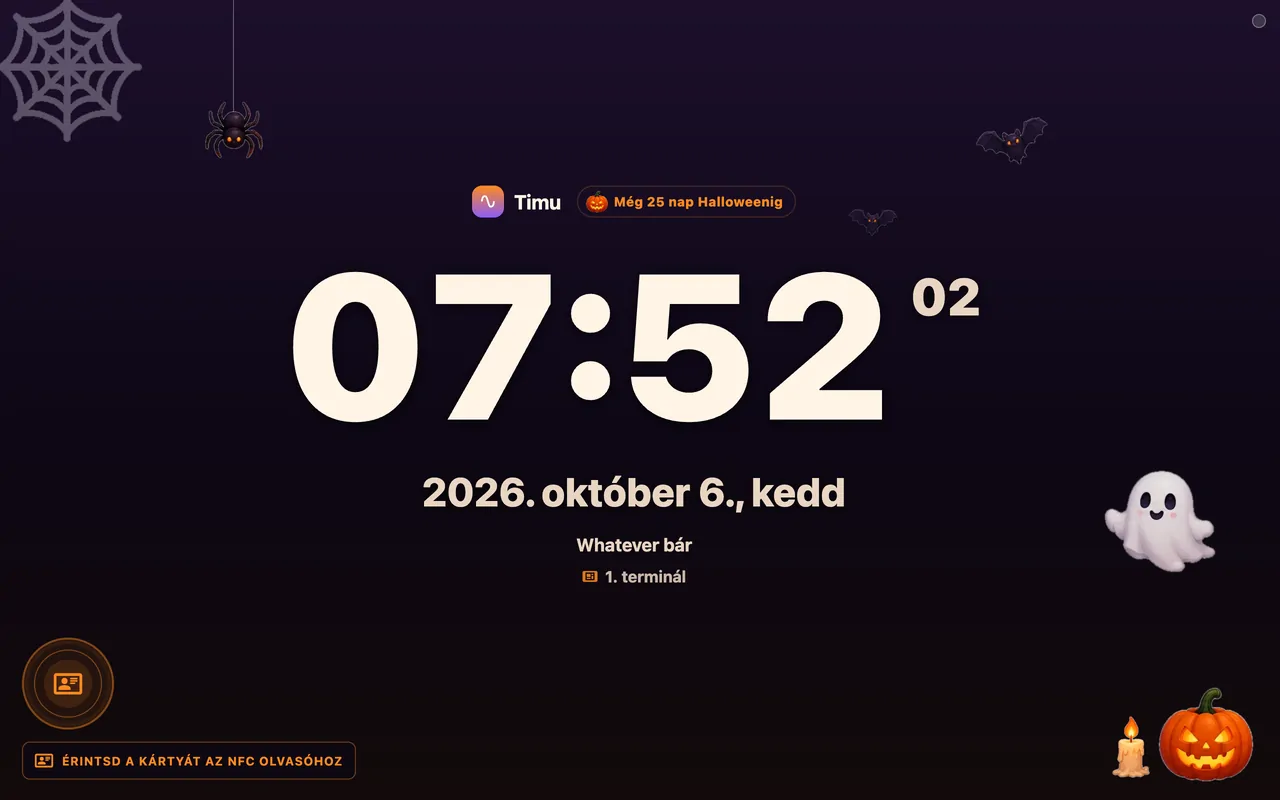
In October it gets a Halloween theme: pumpkins, bats, cobwebs and festive buttons. The terminal dresses up by the calendar and switches back on its own, with nothing to update or configure.
Can be switched off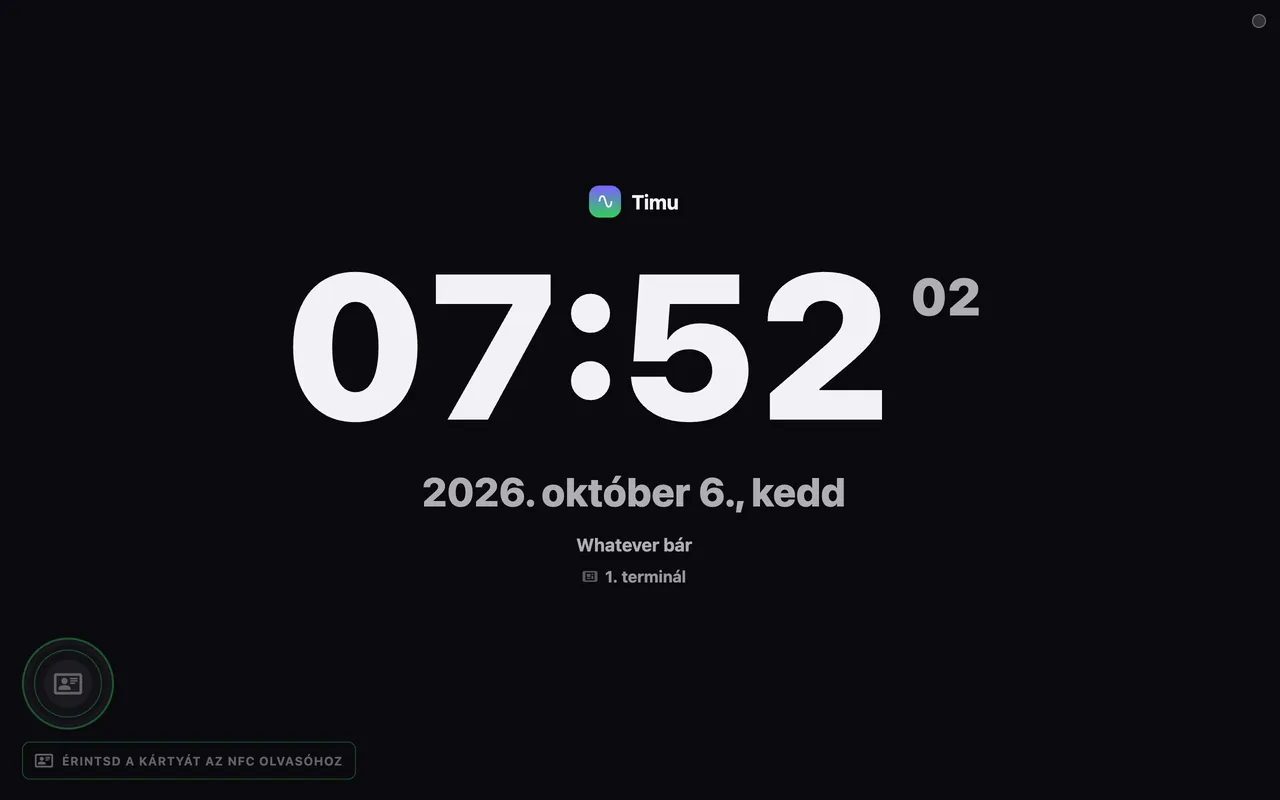
Manager app
Behind the terminal sits a full manager app: who is on site right now, how the team's hours are tracking this week, and what that adds up to in wages, across several sites at once.
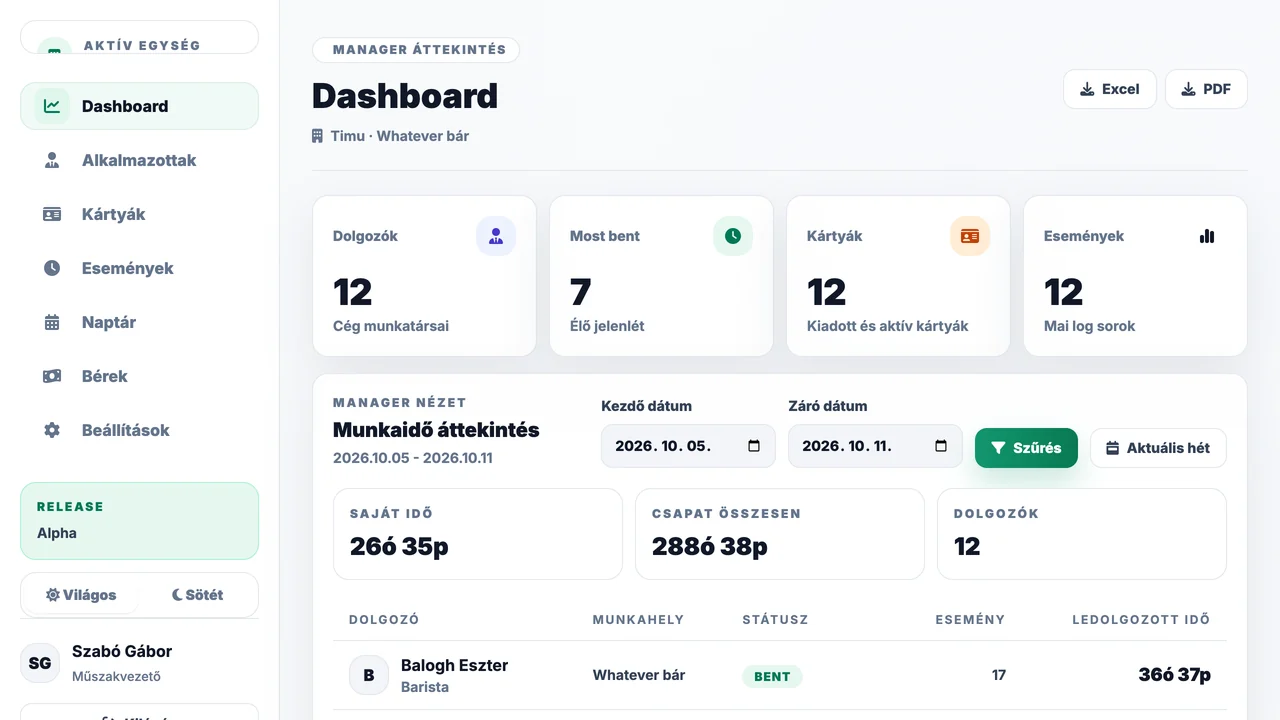
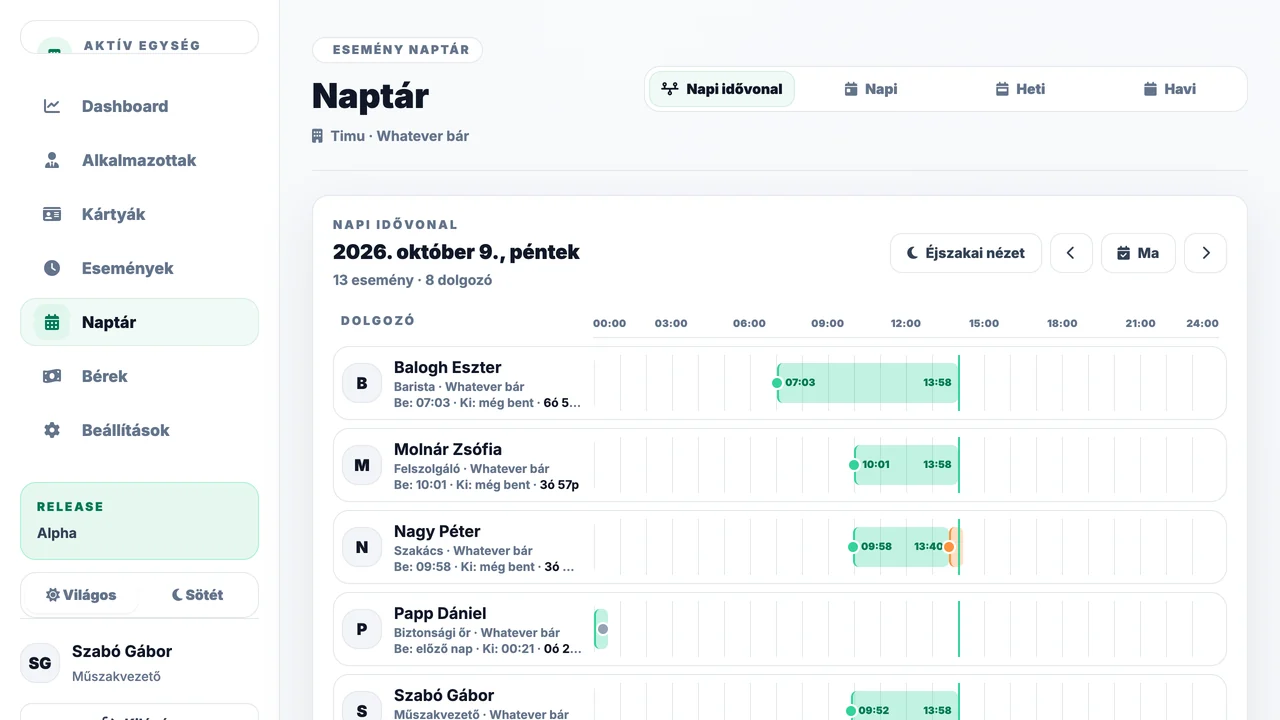
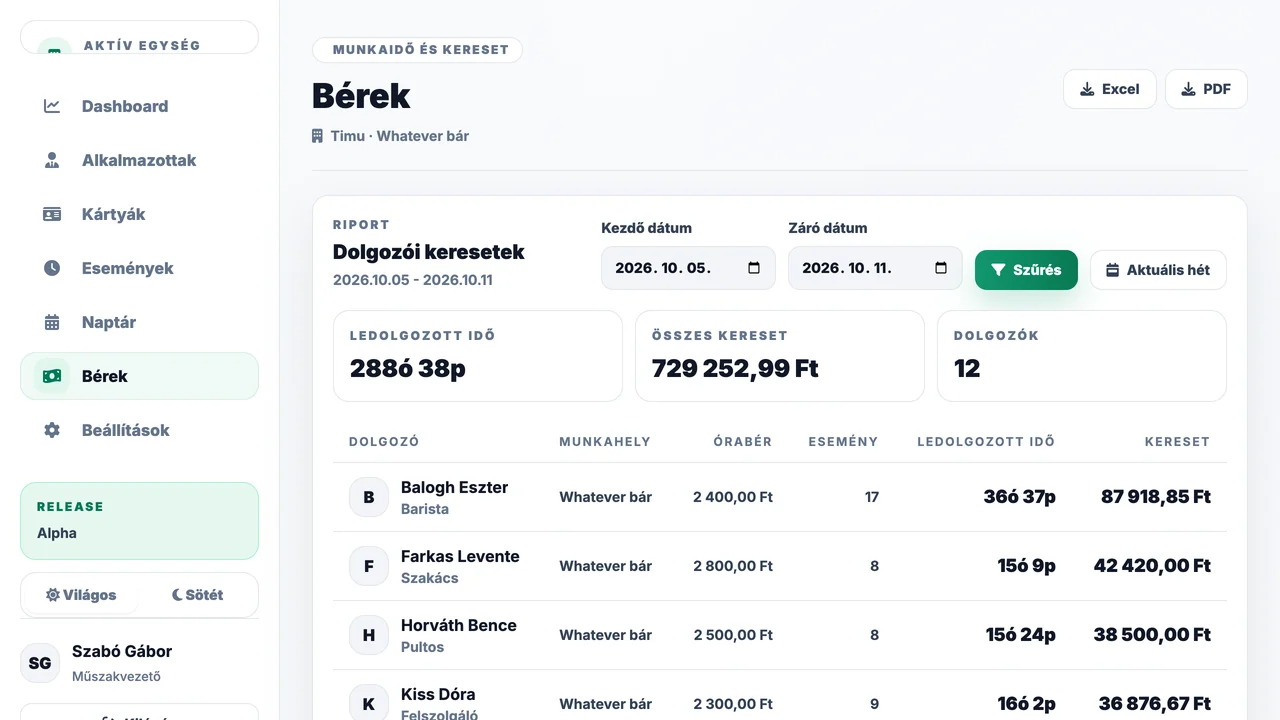
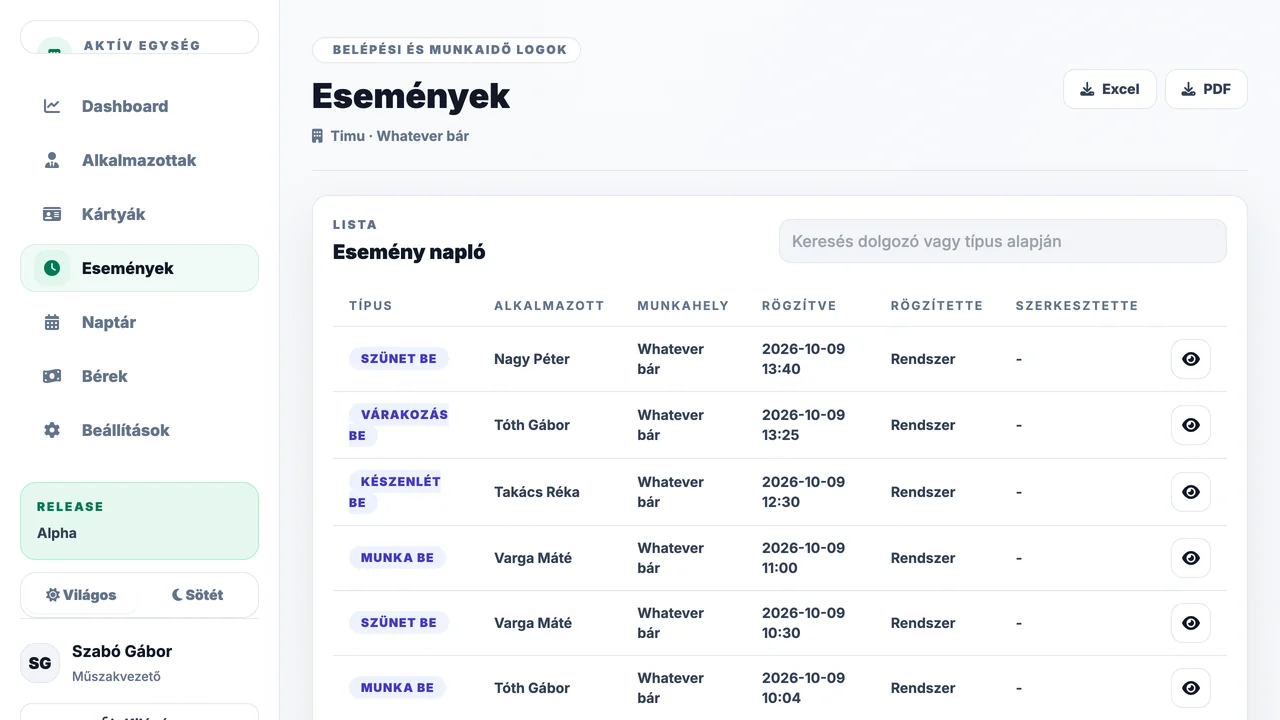
One screen shows who is in, where the team's hours stand and what happened on site today.
Integrations
Restaurant management
StajerFood’s restaurant management system ties together day-to-day operations, from orders through sales to inventory. Timu attendance data is available right where you run the restaurant.
Timu also connects to MarketSys, so working-time data is available there too.
Compliance
Attendance is your employees' personal data, and keeping records of it is a legal obligation. Timu is built so neither becomes a headache: every event is traceable, every access is scoped, and we collect nothing we don't need.
What Timu never asks for
Employers are required to keep records of working time, overtime and standby. Timu keeps them continuously, not from memory at the end of the month.
We collect no biometric data: identification is by NFC card, which is a far simpler position to be in under data protection law. A photo at clock-in and clock-out is only taken if you switch it on.
Attendance data is stored on servers within the European Union, under the GDPR.
Clients
From bars to stadiums: wherever shifts change hands and attendance data has to hold up at the end of the month.
Works for you too
Pricing
Try it free for 30 days. After that you pay a monthly fee based on headcount, with no extra charge for the manager app, reports or installation.
Monthly fee
30 days free7,500HUF / month
Try it with your own team, no strings attached. All prices are net, excluding VAT.
Start free trialThe trial commits you to nothing. If you have questions, we will go through your shift patterns together.
Terminal device
Arrives set up and ready to use. If you no longer need it later, we buy it back in good condition.
net, one-off*Free terminal: for the first 30 days, the price of the chosen terminal is held as a deposit. If you return it after 30 days in the condition it was handed over, with its box and accessories, we refund the full amount.
FAQ
Yes, free for 30 days with no commitment. During the trial you use the full system with your own team, and decide afterwards whether to stay.
5,000 HUF a month for up to 10 employees, then +500 HUF a month for each additional employee, and a custom price above 50. The terminal is free for the first 30 days (against a deposit), then a one-off 79,990 HUF (7-inch) or 129,990 HUF (11-inch). There is no setup fee, and all prices are net, excluding VAT.
An NFC-capable tablet, which you get from us ready to use, and the employee cards. The terminal joins your existing Wi-Fi, and there is no server to run. If you no longer need the tablet later, we buy it back in good condition.
Yes. Under the Hungarian Labour Code (section 134), employers must keep up-to-date records of regular and overtime hours, on-call time and paid leave. Timu builds these records continuously from clock-ins, not from memory at the end of the month.
Yes. The law does not prescribe a format: records can be kept on paper or electronically, as long as they are up to date and can be reliably retrieved later. Timu logs every clock-in and every edit, and the monthly timesheet downloads as XLSX or PDF.
The open shift stays flagged in the manager app and can be corrected in one click. Every edit is logged, so it stays clear who changed what.
Yes. The system counts in shifts rather than calendar days, so a 22:00–06:00 shift stays in one piece and lands on the right day in reports.
Admin, manager and employee permissions are handled separately: everyone sees only what their job requires. We store only what the record needs (name, workplace, card ID, timestamp), and every later correction is logged, so it stays visible who changed what, and when.
Download XLSX or PDF reports from the manager app at any time, for any period, broken down per employee, exactly as payroll needs them. Integrations with StajerFood and MarketSys are also available.
A single site is typically live in half a day: add the team, hand out cards, mount the terminal. There is nothing for the staff to learn. It is one tap.
Contact
Tell us what you need: we can start your 30-day free trial, or walk you through the whole flow from terminal to payroll report.
We usually reply within one business day.